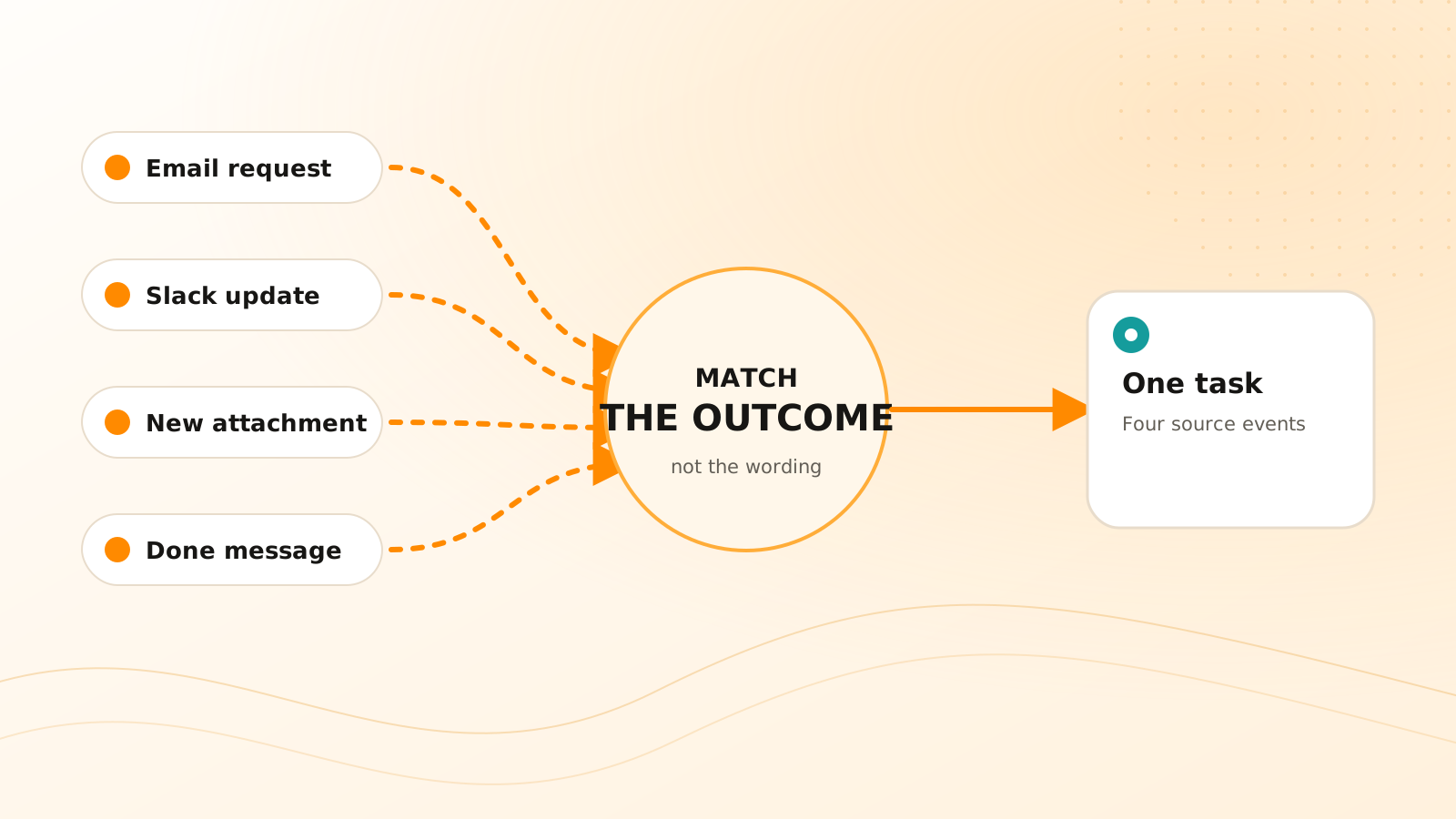
The same piece of work can appear in a meeting, a Slack thread, and three emails. A naive automation creates a task from each message. A useful workflow recognizes that the messages describe one evolving commitment and keeps their evidence together.
Deduplication is not just title matching. “Send revised SOW,” “contract update for Friday,” and “please include the new support terms” may refer to the same outcome. Conversely, two messages with identical wording may concern different customers.
Why do message automations create duplicates?
Messages are events, while tasks represent intended outcomes. Several events can update one task:
- a request creates the commitment;
- a reply clarifies the owner;
- a later message changes the date;
- an attachment provides the deliverable;
- a confirmation marks the work complete.
If each event is treated as a new task, the task list becomes a copy of the inbox. The system needs to classify the event and match it against existing work before creating anything.
What message events should the system recognize?
A practical workflow distinguishes at least five operations:
- 1Create: a new explicit commitment or assigned next action.
- 2Update: new details change the expected result or owner.
- 3Comment: the message adds evidence or progress without changing the task definition.
- 4Reschedule: an agreed date or time changes.
- 5Complete: the source clearly confirms the outcome is done.
It should also recognize no action. Newsletters, FYIs, reactions, automated notifications, and speculative discussions usually do not belong in a task system.
Clear Tangle's Integration Intelligence applies this event model to connected work: Gmail or Slack context may create a new task, update or reschedule a match, add a source-linked comment, confirm completion, or go to review when the interpretation is uncertain. The useful outcome is one evolving Task with its evidence—not a separate task for every notification.
How do you match a message to an existing task?
Use several signals together:
- normalized action and intended outcome;
- project, customer, channel, or thread;
- participants and likely owner;
- linked document or external identifier;
- date proximity;
- active and recently completed tasks;
- direct references such as “this task” or a shared task link.
No single signal is enough. A strong title match across two different clients is not a duplicate. A weak wording match inside the same thread and project may be.
When confidence is high and the change is low risk, the system can add the source as a comment or suggestion. When a match is uncertain, present the candidate tasks and let a person choose create, update, or ignore.
How should Gmail and Slack differ?
Email threads often contain a clearer sequence and external correspondents, but forwarded messages can blur the original sender and time. Slack contains channels, threads, mentions, reactions, and fast conversational fragments. A sentence outside its thread may be impossible to interpret.
Preserve the native permalink or message identifier when available. That gives the task an audit path and helps the matching system recognize later events from the same conversation.
Where should confirmation be required?
Require review before:
- assigning a task to another person;
- changing a deadline based on ambiguous language;
- completing or deleting existing work;
- acting on a message from an untrusted or unknown source;
- creating an external commitment;
- applying a match across projects or customers.
An automation that asks one well-timed question is better than one that silently corrupts the work history.
A duplicate-resistant message workflow
Classify the message event
Decide whether it proposes new work, updates existing work, adds evidence, changes a date, confirms completion, or requires no action.
Normalize the outcome
Express the intended result without relying on the message's exact wording.
Search existing work
Compare project, participants, source thread, identifiers, dates, and active or recently completed tasks.
Review uncertain matches
Show why a candidate matched and allow create, update, merge, or ignore.
Preserve every source
Keep the relevant email or Slack reference attached to the resulting task history.
Clear Tangle documents the current behavior for Gmail task automation, Slack, and Integration Intelligence. The same commitment discipline applies to meeting-derived tasks.
Frequently asked questions
Can identical task titles be treated as duplicates?
No. Compare the project, people, outcome, source, and time. Identical wording can refer to separate work, while different wording can describe the same commitment.
Should a completion email automatically close a task?
Only when the task match and completion evidence are clear. Otherwise, add the message as evidence and request confirmation.
What happens to messages that do not become tasks?
They can remain in their source system or become searchable captures when their context is useful. A task list should not be the universal destination for every message.
How does Clear Tangle decide between creating and updating a task?
Suppose an email says “Friday works for the revised SOW” and an open Task already tracks that SOW for the same customer. Clear Tangle can treat the email as evidence for an update or reschedule; if the customer or intended outcome does not match clearly, it should surface the choice for review.
Can I use both Gmail and Slack without duplicating the same commitment?
Yes, if both sources are matched against the same underlying outcome instead of processed as isolated notifications. Keep each source reference in the task history so later updates remain understandable.
The reliable unit of work is the outcome, not the notification. Match new evidence to that outcome, keep the sources connected, and create a new task only when the commitment is genuinely new.
Connect messages to work without copying the inbox
Use Clear Tangle Integration Intelligence to match Gmail and Slack events with existing tasks and review uncertain changes.
Explore Integration Intelligence →Sources
- Gmail Task Automation Documentation — supports the current Gmail task-create, update, complete, reschedule, and comment workflow.
- Slack Integration Documentation — supports the current Slack capture and workspace workflow described here.
- Clear Tangle Integration Intelligence Documentation — supports the current cross-source task matching and review-control model.