Meetings contain more possible actions than actual commitments. Someone may suggest an experiment, describe a risk, ask a hypothetical question, or mention work that is already complete. Turning every action-shaped sentence into a task creates a list that looks productive and cannot be trusted.
The goal is not maximum extraction. It is a smaller set of tasks that accurately represent what people agreed to do.
What makes a meeting task trustworthy?
A trustworthy task can answer five questions:
- 1What is the action? It begins with a specific outcome or next step.
- 2Why does it exist? The meeting context or decision is still accessible.
- 3Who owns it? The owner was stated or explicitly confirmed.
- 4When is it due? The date was stated, derived from an agreed rule, or left unset.
- 5Is it new? It does not duplicate an existing task or completed action.
When one answer is missing, preserve the gap. “Confirm owner” is more honest than assigning the nearest name in the transcript.
For Clear Tangle users, Fireflies or Otter meeting output can enter as source-linked Captures before candidate actions become Tasks. The valuable step is the review boundary: compare each candidate with existing work, confirm owner and date separately, and keep the meeting link available so a teammate can see why the task exists.
Which meeting statements should become tasks?
Create a task for an explicit commitment or a necessary next action that participants accepted. Useful signals include “I will,” “please send,” “we agreed to,” or a clear assignment in the meeting record.
Do not automatically create tasks from:
- brainstorming options;
- rhetorical or unanswered questions;
- status updates about finished work;
- risks without an agreed response;
- examples used to explain a problem;
- tentative language such as “we might” or “someone could.”
Those statements may belong in notes, decisions, questions, or risks. A task is only one possible representation.
How do you extract tasks from meeting notes?
1. Preserve the original meeting
Keep the transcript, recording reference, or source note. A short task title cannot carry tone, conditions, or the discussion that created it.
2. Identify the decision before the action
Understand what participants accepted. A sentence may sound actionable but be superseded later in the same meeting. Read enough surrounding context to identify the final position.
3. Search for existing work
Before creating a task, search the active project for the same outcome. If it exists, add the new source or update the task instead of creating a duplicate.
4. Confirm owner and date separately
Do not infer ownership merely because a person spoke. Do not turn “next quarter” into an exact day unless the team has an agreed planning rule. Unknown values should remain unknown until confirmed.
5. Write for execution
Use an action verb and observable result: “Send the revised pricing table to procurement” is stronger than “Pricing.” Add the relevant project and source link.
6. Review consequential tasks
External commitments, production changes, financial actions, and tasks assigned to another person deserve explicit confirmation before creation or notification.
A practical review packet
Instead of silently creating tasks, an AI workflow can present a compact packet:
- proposed task title;
- supporting excerpt and meeting link;
- proposed owner, with confidence or “unconfirmed”;
- proposed due date and how it was obtained;
- possible existing task match;
- buttons to accept, edit, merge, or reject.
This keeps mechanical extraction fast while reserving judgment for the person who understands the meeting.
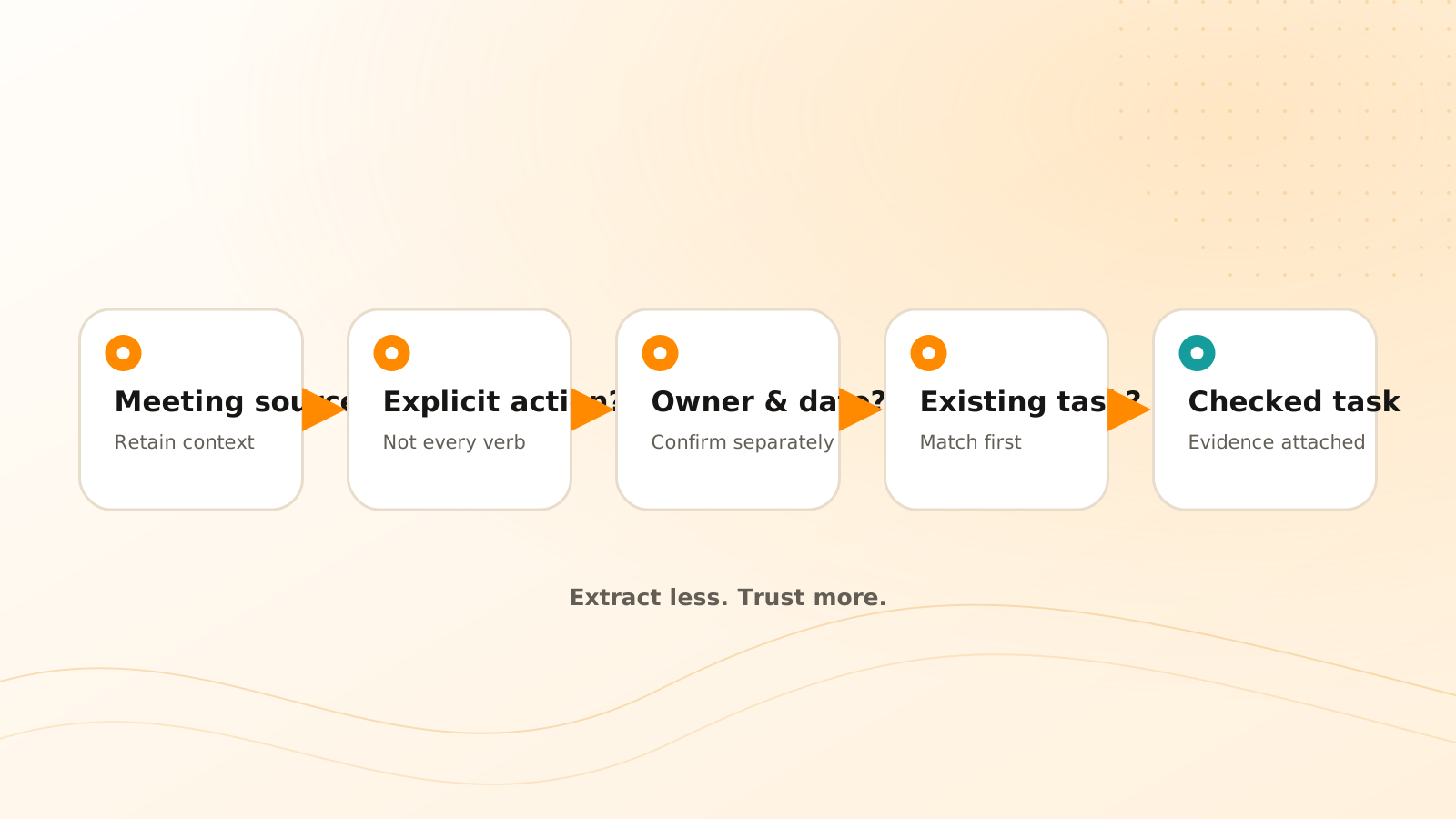
Meeting-to-task review
Capture the meeting source
Retain the transcript or note with project and date context.
Extract candidate commitments
Separate accepted actions from ideas, questions, risks, and completed work.
Check existing tasks
Update or merge when the same outcome is already tracked.
Confirm uncertain fields
Leave owner and date unresolved unless the source or reviewer supports them.
Create with evidence
Save the task with its project and a direct link to the meeting context.
Clear Tangle's current task documentation describes the product model. If the meeting first enters a general queue, use the capture inbox review before accepting extracted work.
Frequently asked questions
Should AI automatically create every meeting task?
No. It can prepare candidates, but ambiguous ownership, dates, duplicates, and consequential actions should be reviewed before they change the task system or notify someone.
What if the transcript is inaccurate?
Use the recording or participant confirmation for important commitments. Treat low-confidence text as a lead, not as authoritative evidence.
How do I handle a task that changes later in the meeting?
Use the final accepted decision and retain the meeting source. If the evolution matters, record it in the decision or task history rather than creating several competing tasks.
What should I check after importing a Fireflies or Otter meeting?
Open the source link, confirm that each candidate action was explicitly accepted, compare it with existing Tasks, and verify the owner and date independently. Keep unresolved fields visible instead of treating transcript extraction as approval.
Should a discussion question become a task?
Only when someone accepts a concrete follow-up. Otherwise, keep it as an unresolved question in the meeting or project context instead of manufacturing ownership and urgency.
The best meeting automation does not produce the most tasks. It produces tasks that people recognize, understand, and can trace back to the commitment that created them.
Keep meeting commitments connected to their source
Use Clear Tangle tasks and meeting integrations to review extracted actions, prevent duplicates, and retain the context behind the work.
Explore Smart Tasks →Sources
- Clear Tangle Tasks Documentation — supports the current task model, source context, and task-management workflow.
- Fireflies Integration Documentation — supports the current meeting-ingestion workflow for Fireflies content.
- Otter Integration Documentation — supports the current meeting-ingestion workflow for Otter content.