Building a second brain often begins with an ambitious structure: folders for every subject, tags for every possibility, and a promise to process everything later. The system looks impressive for a week. Then real work arrives, capture becomes inconvenient, and the carefully designed library starts collecting dust.
An AI second brain should reduce that maintenance burden. It should help you keep information that matters, connect it to what you are trying to accomplish, find it again when your wording has changed, and turn relevant context into a next step you can inspect.
The most reliable starting point is deliberately small: one capture habit, one active project, one retrieval test, and one reviewable action.
What is an AI second brain supposed to do?
An AI second brain is a personal information system that supports the full life cycle of useful context. It is not simply a chatbot attached to a folder of documents.
Personal information management research describes a broader set of activities: acquiring or creating information, organizing and maintaining it, retrieving it later, and using it to support everyday goals. AI can assist with several of those activities, but it does not remove the need for a clear purpose.
A working system should answer four questions:
- 1How quickly can I capture something before it disappears?
- 2How will this information stay connected to the outcome it supports?
- 3Can I retrieve it when I remember the meaning but not the wording?
- 4Can I act on it without allowing an uncertain model output to make an invisible change?
If the system cannot answer those questions, adding more sources will usually create a larger archive rather than a better second brain.
Step 1: choose one capture habit
Start with the place where useful information is currently most likely to disappear. That might be a thought during a walk, a decision in a meeting, a commitment in Slack, a useful email, or a note written beside a customer call.
Choose one reliable path for the first week. For example:
- use quick capture for ideas that arrive while working;
- send important messages into an inbox for later review;
- record short voice notes when typing would interrupt the thought;
- bring meeting output into one capture stream;
- use the command line when the terminal is already where you work.
Do not begin by importing years of files. A large migration makes it difficult to tell whether the daily loop works. Ten real captures from current work reveal more than ten thousand old notes.
The capture habit also needs a boundary. Save a decision, commitment, observation, reusable explanation, or source you expect to use. Do not capture every notification and every sentence merely because the software allows it.
Step 2: connect captures to an active outcome
Organization becomes easier when it follows action. The PARA method makes a similar argument by organizing information around projects and goals rather than broad academic subjects.
For the first week, create one project with a real finish condition. Good examples include “publish the onboarding guide,” “choose a billing provider,” or “prepare the August customer review.” A label such as “work” or “marketing” is too broad to tell you what progress means.
As captures arrive, ask:
- Does this support the project directly?
- Is it a task with a clear done state?
- Is it reference material that should remain available?
- Is it a decision or fact worth preserving as durable context?
- Is it noise that should be removed?
Clear Tangle provides projects, pages, tags, tasks, and memories for different kinds of structure. You do not need to use every object immediately. Use the smallest amount of structure that makes the next retrieval easier.
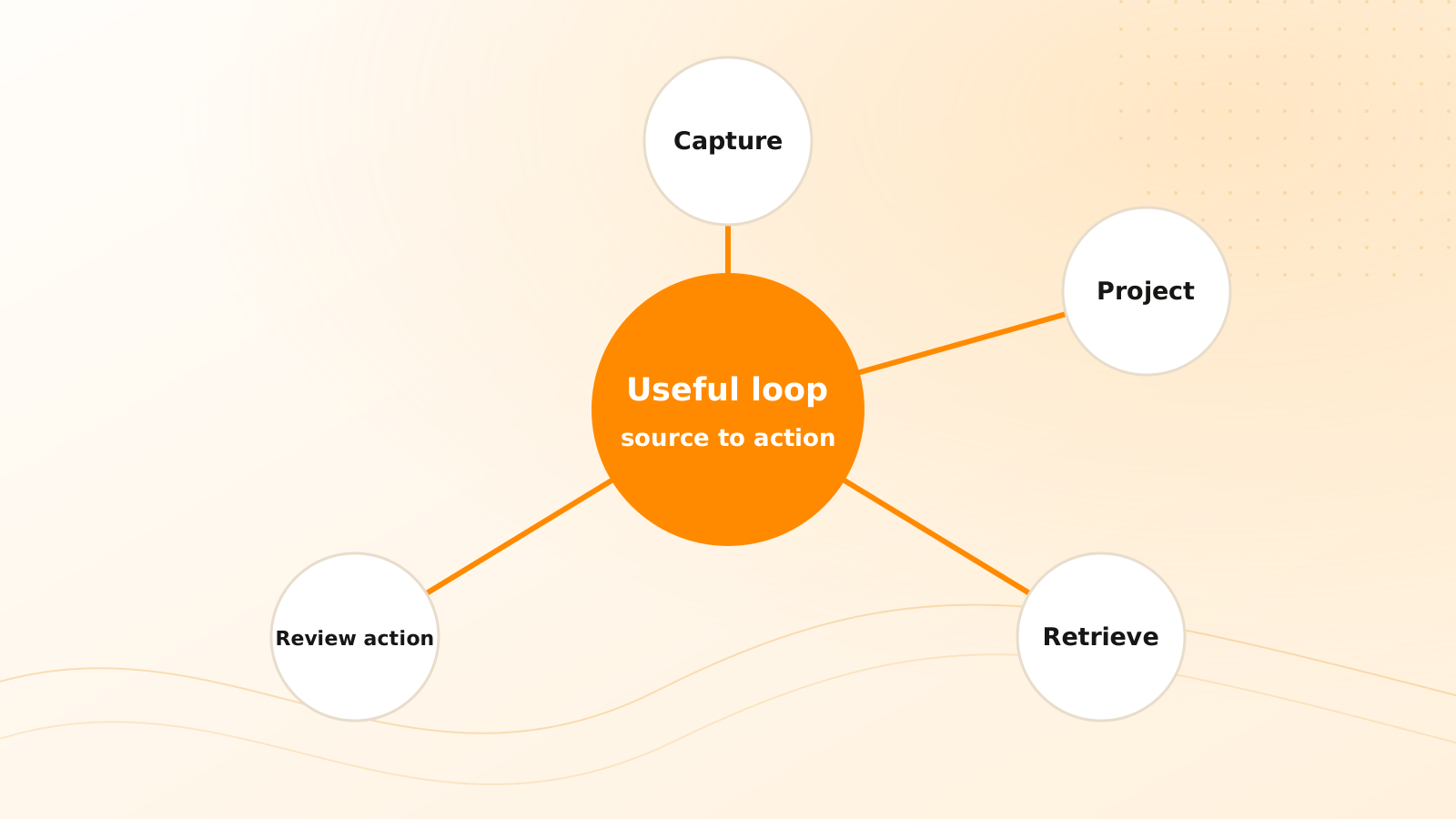
A concrete Clear Tangle loop can stay simple: send the raw thought or source into Capture, review it in the Inbox, connect it to one Project, and create a Task only when the material contains a real commitment. Use a Page for the maintained conclusion and Memory Vault only for stable context that should influence future work. That division keeps the original evidence separate from the structure you build around it.
Step 3: run a retrieval test
A second brain is not proven when information goes in. It is proven when the right information comes back.
After several days, test retrieval in three ways:
- 1Search using an exact phrase you remember.
- 2Search using a description that expresses the same meaning with different words.
- 3Ask a question that requires two related captures from the active project.
For each result, record whether you found the right source, how much irrelevant material appeared, and whether the result preserved enough context to evaluate it. A conversational answer should not be considered successful merely because it sounds confident. Open the supporting material and check it.
This test exposes weak habits early. If nothing can be found, the capture may lack context. If everything appears, the project or tags may be too broad. If an answer cannot point back to its basis, use search and source review before relying on it.
Step 4: turn one result into a reviewed action
The final test is whether retrieved context helps you do something useful.
Choose one low-risk example. A meeting decision might become a follow-up task. A group of research notes might become an outline. An unresolved project question might become a request for clarification.
Review four details before accepting the action:
- Meaning: Does the task reflect what the source actually says?
- Scope: Is it attached to the right project and person?
- Timing: Was a date explicit, or did the system infer one?
- Provenance: Can you return to the capture that caused the action?
Clear Tangle connects captures, tasks, projects, search, ChatMind, and reviewable workflows so this chain can remain visible. The point is not maximum automation. The point is reducing reconstruction while keeping consequential changes understandable.
What should you avoid during the first month?
Avoid designing a complete taxonomy, automating every source, or treating capture volume as success. Those choices increase the cost of learning what the system should actually do for you.
Also avoid storing sensitive material without first understanding the product's current privacy controls and your own obligations. A second brain becomes more useful as it accumulates context, which is precisely why access, retention, and deletion decisions deserve attention.
Finally, do not ask the system to remember everything. Durable memory should be curated around stable facts, preferences, decisions, and project context. Temporary logistics and uncertain interpretations should remain in their original sources until they become worth preserving.
A seven-day starter plan
Build the smallest useful loop
Days 1–2: capture real work
Use one capture path and collect ten items you genuinely expect to need again.
Days 3–4: connect one project
Classify each item only as far as needed: project context, reference, task, durable memory, or discard.
Days 5–6: test retrieval
Run exact, meaning-based, and cross-source queries; verify the sources behind the results.
Day 7: complete one loop
Turn retrieved context into one reviewed next action and note what was confusing or missing.
At the end of the week, keep what worked and remove what did not. A sustainable second brain is not the one with the most sophisticated setup. It is the one that reliably brings useful context back into your work.
If you are new to the product, start with what Clear Tangle is, then follow the maintained quick-start guide for the current setup.
Frequently asked questions
How much information should I add before testing my AI second brain?
Start with a small batch of real captures from one active project—for example, ten current items. That is enough to expose problems in capture, retrieval, source verification, and reviewed action without hiding them inside a large import.
Do I need to organize every capture immediately?
No. Preserve the useful context first, then process it through a short Inbox review. Add only the project, page, task, tag, or memory structure that will improve a real future retrieval or action.
What is the first Clear Tangle workflow I should try?
Capture one current decision or commitment, connect it to an active Project, retrieve it through Search or ChatMind, and create one source-linked Task after checking the meaning, owner, and date.
How long does it take to see value from an AI second brain?
You can test one useful loop in a week: capture current work, connect one Project, retrieve the source, and complete one reviewed action. Add more sources only after that loop saves effort.
How do I know the system is working?
You should be able to capture without interrupting the moment, find an item without remembering its exact wording, open the supporting source, and turn verified context into a correct next action.
Build one useful loop
Start with a real capture, connect it to an active project, retrieve the source, and turn it into a next action you can review.
Open the Clear Tangle quick start →Sources
- Personal Information Management — William Jones and co-authors; defines personal information management as acquiring, organizing, maintaining, retrieving, using, and distributing information to support real goals.
- The PARA Method — Forte Labs; supports organizing information around active projects and actionability rather than an elaborate subject taxonomy.
- Clear Tangle Quick Start — supports the current first-session setup and product workflow.
- Clear Tangle Core Concepts — supports the current Clear Tangle model for captures, projects, pages, tasks, tags, and memories.