Folders answer, “Where did I put this?” A knowledge graph can answer, “What is this connected to?”
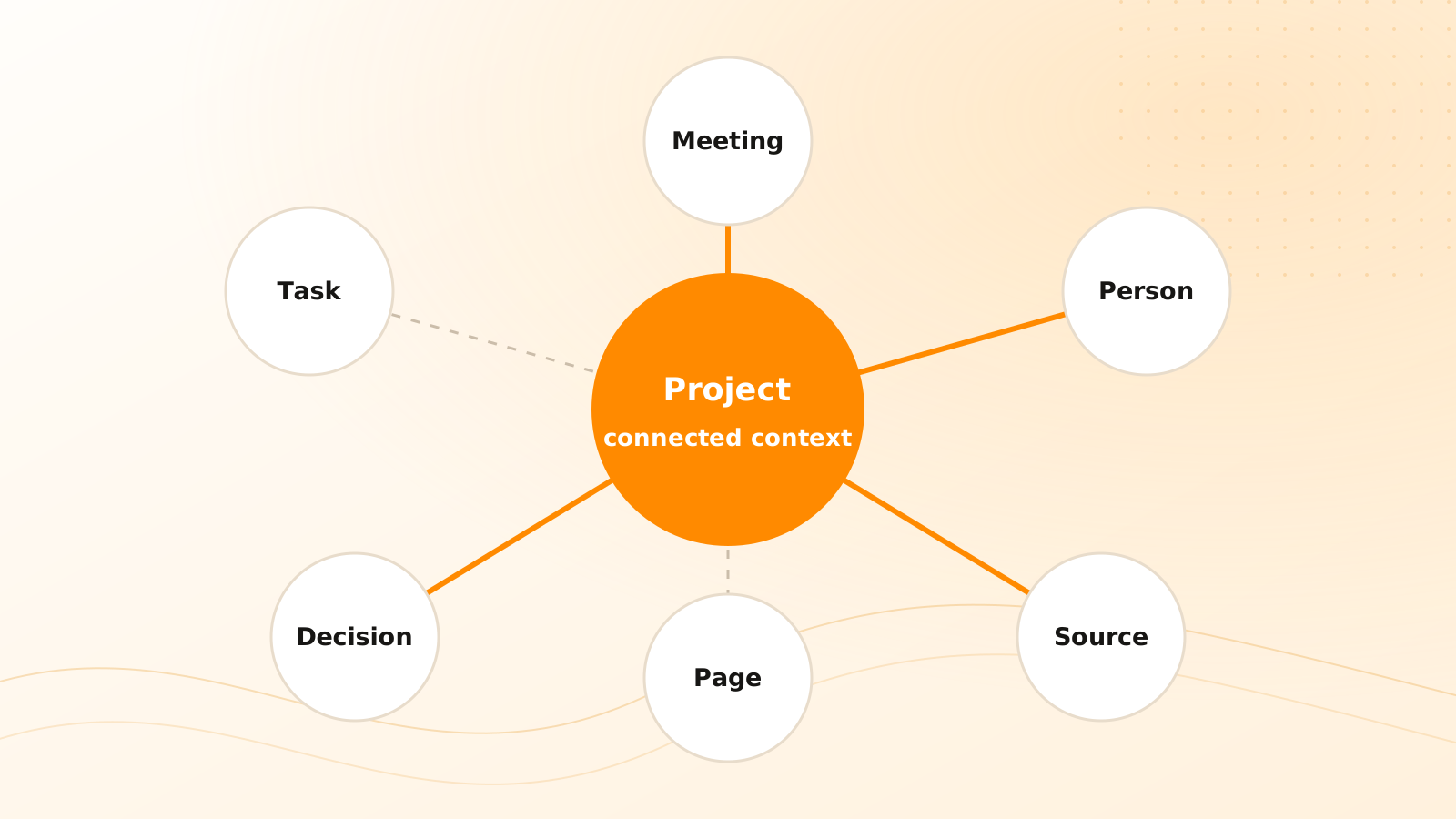
That shift matters when one piece of information belongs to several contexts. A meeting note may relate to a customer, project, decision, task, person, and source document. Forcing it into one folder hides most of those relationships.
What is a personal knowledge graph?
A knowledge graph represents items as nodes and their relationships as edges. In a personal system, nodes may include:
- captures and notes;
- pages and documents;
- people and organizations;
- projects and areas;
- tasks and decisions;
- tags and topics;
- messages, meetings, and source files.
Relationships add meaning: “belongs to project,” “mentioned person,” “supports decision,” “created task,” “derived from source,” or “contradicts page.”
The graph is useful when those relationships help you retrieve, evaluate, or act. A dense visualization with no clear question is only decoration.
How is a graph different from folders and tags?
A folder provides hierarchy: one parent path usually determines where an item appears. A tag provides flexible labels but may not explain how two items relate. A graph can express multiple typed relationships at once.
These models can coexist:
- folders or projects provide a stable working home;
- tags support broad grouping and filters;
- graph relationships preserve specific connections;
- search retrieves items by words and meaning;
- chat synthesizes across a selected context.
Clear Tangle uses that combination across Captures, Pages, Projects, Tasks, tags, and sources. Search can recover a candidate by words or meaning, while the Knowledge Graph helps you inspect the surrounding relationships—for example, moving from a project to the meeting, decision, and task that explain its current state.
Do not replace a simple structure with graph maintenance for its own sake. Add relationships that answer recurring questions.
What questions can a knowledge graph answer?
A well-maintained graph can help with questions such as:
- Which decisions came from this meeting?
- What tasks depend on this project milestone?
- Which people and sources are connected to this research conclusion?
- Where has this customer requirement appeared before?
- Which pages cite the same evidence?
- What changed after a particular decision?
- Which active projects share a recurring risk?
The result should provide a path through the underlying items, not merely an attractive cluster of dots.
How do you build useful relationships?
Start with explicit work connections
Connect a task to the project it advances, a decision to the meeting that produced it, and a maintained conclusion to its sources. These relationships are easy to explain and verify.
Prefer typed edges
“Related to” is sometimes necessary, but “supports,” “supersedes,” “assigned to,” and “derived from” carry more meaning. The relationship label should clarify why the connection exists.
Keep provenance
When AI suggests a relationship, retain the evidence and make the suggestion reviewable. Two items can share vocabulary without having a real-world relationship.
Limit automatic expansion
If every semantic similarity becomes an edge, the graph turns into noise. Use thresholds, scope, and human correction for relationships that affect decisions or navigation.
A practical graph-building workflow
Create connections that earn their place
Choose one recurring question
Begin with a retrieval or decision problem, such as tracing tasks back to meeting decisions.
Define the necessary node types
Use only the items required to answer that question.
Name meaningful relationships
Prefer specific connections such as supports, created, assigned to, or supersedes.
Link existing source material
Build from real notes, projects, tasks, and files instead of creating duplicate graph-only records.
Review suggested edges
Confirm AI-inferred relationships before treating them as factual context.
Test traversal
Start from a project or decision and confirm that the path reaches useful, inspectable sources.
Clear Tangle's knowledge graph documentation describes the current relationship view. Pair it with semantic and keyword search: search helps recover candidates, while the graph explains how selected items connect.
Frequently asked questions
Do I need to manually link every note?
No. Start with high-value relationships around active projects, decisions, sources, and tasks. AI can suggest connections, but important inferred relationships should remain reviewable.
Is a graph always better than folders?
No. Folders and projects are simple, predictable homes. Graphs add value when material has multiple meaningful relationships that a single hierarchy cannot express.
Can a knowledge graph prove that two ideas are related?
It can record or suggest a relationship, but the evidence and relationship type determine what that connection means. Visual proximity alone is not proof.
What does the Clear Tangle Knowledge Graph connect?
It visualizes relationships around connected knowledge such as captures, pages, projects, tasks, tags, and sources. The useful unit is an inspectable path, not the number of dots on the screen.
When should I use Search instead of the Knowledge Graph?
Use Search to recover likely items from words or remembered meaning. Use the graph when the question depends on how a selected item connects to projects, people, decisions, tasks, or sources.
The best personal graph is not the largest. It is the one that shortens the path from a question to the people, decisions, actions, and sources that explain the answer.
See the relationships around your work
Use Clear Tangle's knowledge graph to move between connected captures, pages, projects, tasks, tags, and sources.
Explore the knowledge graph →Sources
- Clear Tangle Knowledge Graph Documentation — supports the current graph entities, relationships, and exploration workflow.
- W3C PROV-O — World Wide Web Consortium; supports explicit provenance relationships among entities, activities, and agents.
- Personal Information Management — William Jones and co-authors; supports the broader personal-information challenge of keeping, managing, and later finding useful material.