Voice is one of the fastest ways to capture an intention: “Remind me to send Priya the revised proposal Friday afternoon.” It is also easy to mishear a name, drop a condition, or mistake a thought for an instruction.
A reliable voice workflow separates speed at the input from caution at the action. Speaking can be immediate; consequential changes should still be inspectable and confirmed.
What happens between speech and a task?
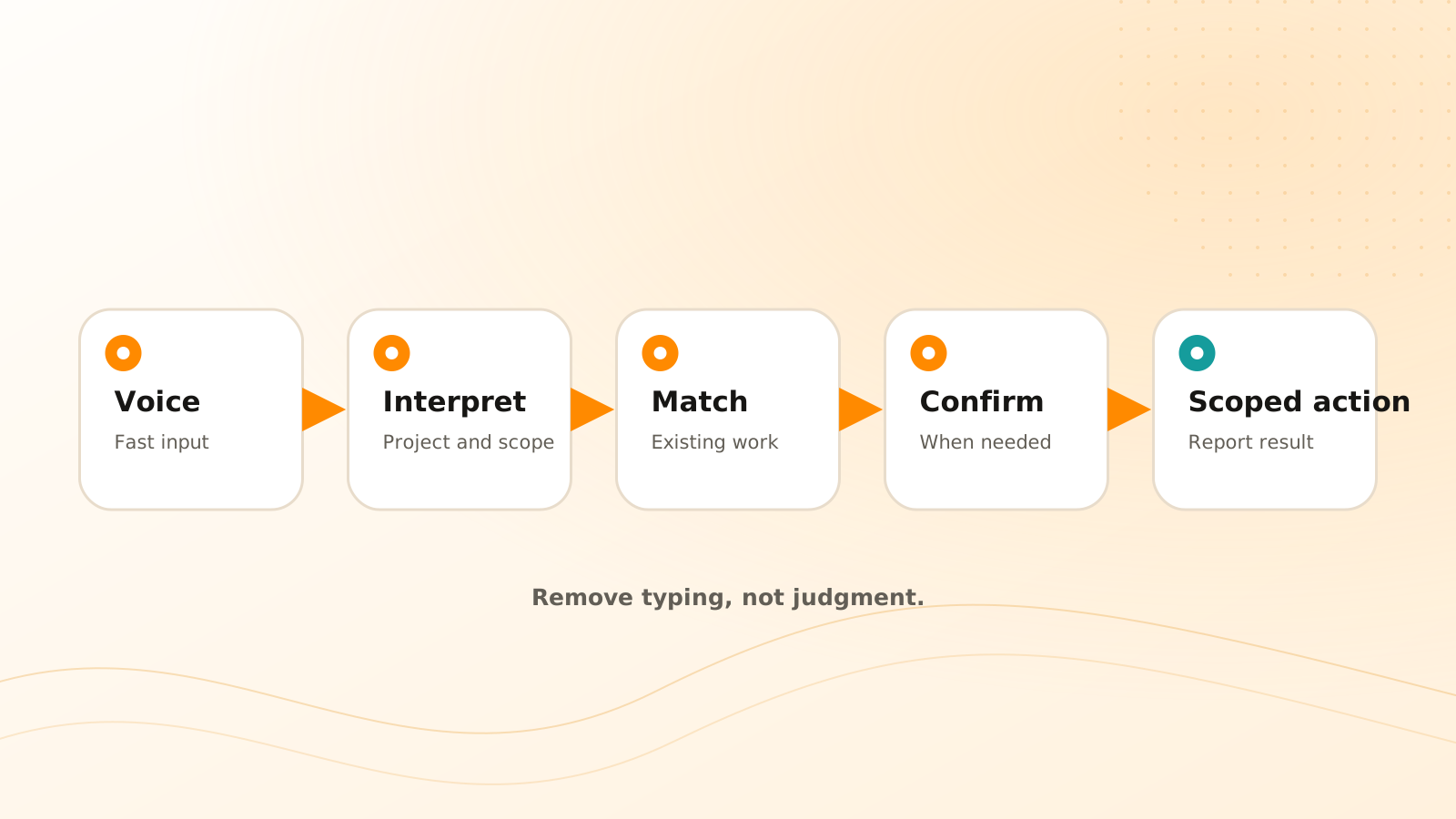
A voice-to-task system performs several distinct jobs:
- 1records or receives the utterance;
- 2transcribes the speech;
- 3identifies the requested operation;
- 4extracts fields such as task, person, date, and project;
- 5checks existing work and permissions;
- 6asks for clarification or confirmation;
- 7creates or updates the task and returns the result.
Treating this as one magical step makes failures harder to catch. A visible draft lets you correct the transcription before it becomes a task.
Clear Tangle Voice Workflows use this separation to keep spoken interaction fast while task operations remain inspectable. You can find Projects, list open or overdue Tasks, ask what to focus on, and complete the latest clearly scoped set of Tasks; matching and confirmation protect broad or ambiguous completion requests.
Which details are commonly ambiguous?
Voice requests often omit information that feels obvious in the moment:
- “Friday” may mean this week or next week;
- “send it to Alex” may match several people;
- “finish the proposal” may refer to an existing task;
- “mark that done” depends on what “that” means;
- “remind the team” may imply an external notification.
A good assistant repeats the interpreted action using concrete language. If the user says “tomorrow,” the confirmation can state the calendar date. If a person is ambiguous, it can present the matching contacts rather than guessing.
When is confirmation required?
Use stronger confirmation for actions that are difficult to undo or affect other people:
- completing or deleting a task;
- changing a deadline or owner;
- sending a message or notification;
- creating a financial, legal, or production action;
- applying a change across several tasks;
- acting when transcription confidence is low.
For low-risk personal capture, a brief read-back with an undo path may be enough. The control should match the consequence.
How do you avoid duplicate voice tasks?
Before creation, match the interpreted outcome against active and recently completed tasks. Use the project, people, due date, and source context—not title similarity alone.
If a likely task exists, ask whether to update it, add a note, or create separate work. “Add Friday as the due date to ‘Send revised proposal’?” is safer than silently creating a second proposal task.
A safer voice interaction pattern
From utterance to verified action
Capture the original request
Retain the transcript or audio reference long enough to inspect how the action was interpreted.
Show the proposed operation
Display the task title, project, owner, and absolute date rather than hiding extracted fields.
Resolve ambiguity
Ask one focused question when a person, date, task reference, or consequence is unclear.
Check existing work
Offer to update a likely match instead of creating a duplicate.
Confirm and report
Request confirmation at the appropriate risk level, execute once, and state exactly what changed.
What should happen after an error?
The workflow should make correction easy. Show the created or changed task, provide an undo or edit path, and keep enough action history to understand whether the problem came from transcription, interpretation, matching, or execution.
Do not solve repeated errors by asking for blanket permission. Improve the ambiguous step and preserve confirmation for the consequences that still matter.
Clear Tangle's maintained voice workflow documentation describes the current voice-driven task operations. The capture-first workflow provides the broader principle: preserve the thought quickly, then apply structure with appropriate review.
Frequently asked questions
Should voice tasks be created without showing a screen?
They can be, but the assistant should read back important fields and ask for confirmation when the action is ambiguous or consequential. It should also report the final result clearly.
Does high transcription confidence remove the need for confirmation?
No. Accurate words can still express an ambiguous or risky instruction. Transcription quality and action safety are separate checks.
What should be saved from a voice request?
Keep the task and enough source context to explain it. Retention of raw audio should follow the product's privacy controls and the user's intent rather than happening by default forever.
What can I do with Clear Tangle Voice Workflows?
You can search for Projects, list open, overdue, today, or project-specific Tasks, ask for a plan based on current work, and complete a clearly scoped set of Tasks with confirmation and updated or skipped counts.
How should the assistant handle an ambiguous date such as next Friday?
It should repeat an absolute calendar date and ask for confirmation when more than one interpretation is plausible. A correctly transcribed phrase can still produce the wrong schedule.
Voice should remove typing, not judgment. The winning workflow is fast to start, clear about what it understood, and careful at the moment an utterance becomes a real change.
Capture by voice and keep actions reviewable
Use Clear Tangle Voice Workflows to create and manage tasks with visible interpretation, matching, and confirmation steps.
Explore Voice Workflows →Sources
- Clear Tangle Voice Workflows Documentation — supports the current voice capture, task operation, and confirmation workflow.
- Clear Tangle Tasks Documentation — supports the current task creation, update, completion, and planning model.
- Artificial Intelligence Risk Management Framework Generative Artificial Intelligence Profile — National Institute of Standards and Technology; supports risk-aware treatment of generative AI output, uncertainty, and consequential actions.